
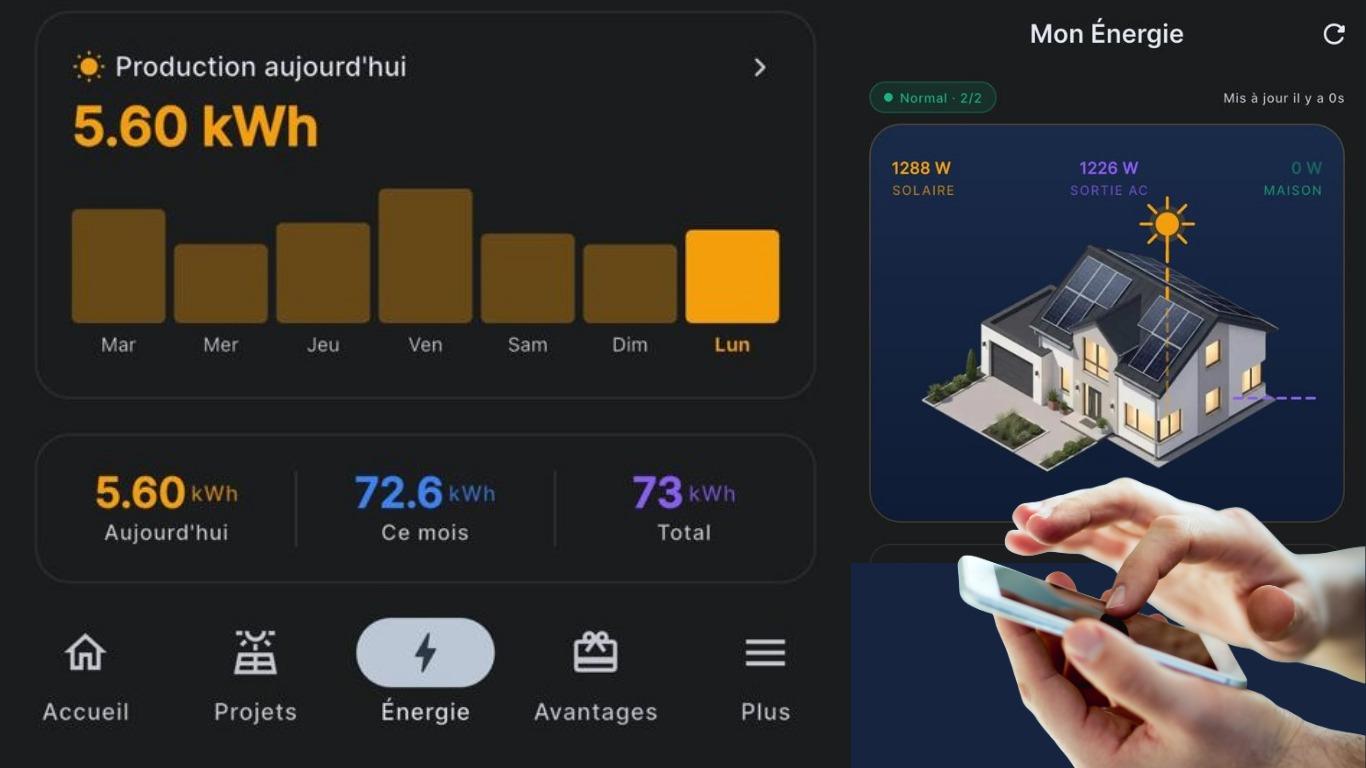
Grubbs Energy mobile app : your solar production in the palm of your hand
Stay connected to your solar production wherever you are with the Grubbs Energy mobile app, officially launched on 20 April. Access your performance data anytime, whether you're at home or on the go. Simple, intuitive and smart, the app lets you monitor, analyse and manage your solar production with ease, helping you maximise the performance of your photovoltaic system—all at your fingertips.
Keep an eye on your solar production wherever you are with the Grubbs Energy mobile app, officially launched on 20 April. With access to your information anytime, right from the comfort of your sofa, enjoy the convenience of this smart tool. View, analyse and manage your solar production at your fingertips to get the most out of your photovoltaic installation.
Every kilowatt counts : monitor your production in real time
Available on both smartphones and tablets, the app offers a wide range of features :
a customer portal giving you access to your personal information and documents. You can also track the progress of your ongoing projects, including contract signing, technical site visit, installation, pre-commissioning (technical inspection before CEB activation) and commissioning (CEB activation)
an intuitive interface displaying your real-time solar production
accurate monitoring of your energy production in kWh : today, this week, this month, as well as your cumulative total
a detailed overview of your environmental impact, including the amount of CO₂ emissions avoided (kg), the equivalent number of trees planted per year, and the volume of oil saved (litres)
a detailed view of the power and energy supplied by each microinverter, along with an hourly daily power generation curve
access to your production history and the energy exported to the CEB grid
the ability to submit a request directly through the After-Sales Service section. Our team will handle your request as quickly as possible. You may also contact us with any questions or clarification you require, whether before or after your installation, ensuring a prompt response to your enquiry.
How to get started with the app ?
Download the app from the Google Play Store or the Apple App Store, then enter your ID Card number.
Please note : for security purposes, you may be required to complete a verification step by entering a One-Time Password (OTP) sent to the mobile number registered in our database. If your phone number has changed for any reason, our records will need to be updated before you can complete the registration process.